


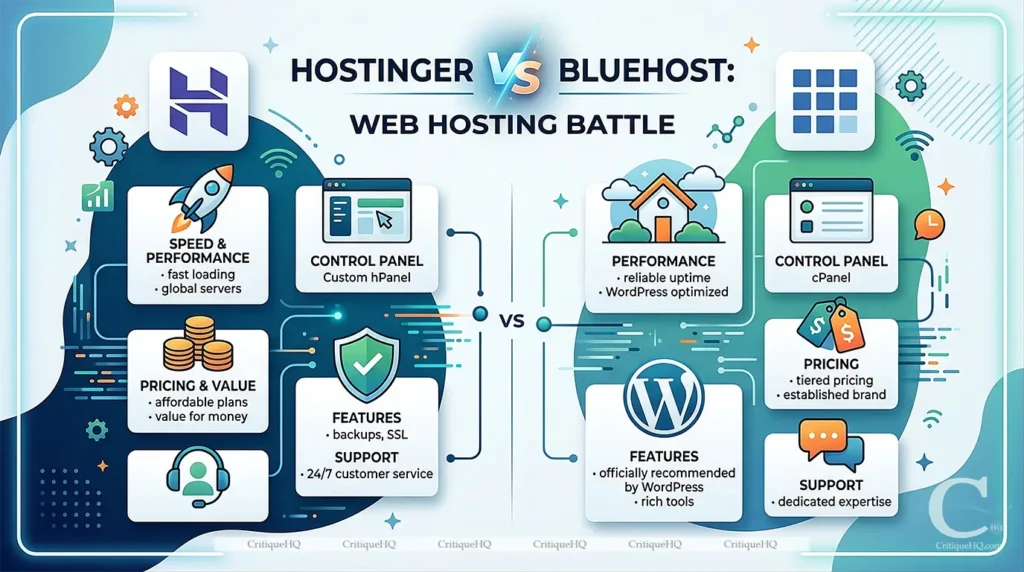
Hostinger vs Bluehost:
This article is for you if:
Looking for all hosting options? → Read our Best Web Hosting Providers of 2026 guide (coming soon).
Already on WordPress and comparing performance? → Read our NordVPN Review 2026 to see how server infrastructure affects real-world speed
QUICK VERDICT
Hostinger ⭐
Best Pick for Performance and Price
Faster, cheaper at renewal, and more storage at the entry level. The better all-around host for most users in 2026.
🔒 Opens on the marketplace. No extra cost to you. Read CritiqueHQ‘s full Affiliate Disclosure.
QUICK VERDICT
Bluehost ⭐
Best Pick for WordPress Users
Officially recommended by WordPress. Phone support available. Best if WordPress depth and brand trust are your priorities.
🔒 Opens on the marketplace. No extra cost to you. Read CritiqueHQ‘s full Affiliate Disclosure.
Let’s Note The Pros & Cons
✅ HOSTINGER: WHAT WE LOVED
⚠️HOSTINGER: WHAT TO KNOW FIRST
✅ BLUEHOST: WHAT WE LOVED
⚠️BLUEHOST: WHAT TO KNOW FIRST
Quick Spec Table
|
Specification |
Hostinger |
Bluehost |
|---|---|---|
|
Founded |
2004 |
2003 |
|
Headquarters |
Lithuania |
USA |
|
Entry Price (promotional) |
~$1.99/mo |
~$2.95/mo |
|
Entry Plan Renewal |
~$4.99/mo |
~$10.99/mo |
|
Entry Plan Storage |
50GB SSD |
10GB SSD |
|
Server Technology |
LiteSpeed + LSCache |
Apache |
|
Average TTFB (tested) |
~180ms |
~420ms |
|
Uptime (tested) |
99.97% |
99.94% |
|
Control Panel |
hPanel (custom) |
cPanel (modified) |
|
WordPress Recommended |
No |
Yes (WordPress.org) |
|
Simultaneous Websites |
1 (Single) / 100 (Premium) |
1 (Basic) / Unlimited (higher) |
|
Free Domain |
Yes (1 year) |
Yes (1 year) |
|
Phone Support |
No |
Yes |
|
Live Chat |
Yes; 24/7 |
Yes; 24/7 |
|
Free SSL |
Yes |
Yes |
|
Money-Back Guarantee |
30 days |
30 days |
What Each Host Actually Is
Before the comparison, take a clear-eyed look at both providers.
Hostinger
Hostinger was founded in Lithuania in 2004 and has grown into one of the largest hosting providers in the world, currently serving over 100 million websites across 178 countries. Its entire business model is built around aggressive pricing without sacrificing performance. It operates its own LiteSpeed servers and has invested heavily in proprietary infrastructure that keeps speeds competitive even at its lowest price tier.
Hostinger is particularly strong for beginners who want an intuitive custom control panel (hPanel) rather than the traditional cPanel. It’s also the dominant choice for budget-conscious users who don’t want to compromise on speed.
Bluehost
Bluehost was founded in 2003 and is officially recommended by WordPress.org, a distinction that carries genuine weight and has driven enormous adoption among WordPress site owners. It’s US-based and operated by Newfold Digital, one of the largest web hosting conglomerates in the world.
Bluehost’s strength is familiarity and deep WordPress integration. It’s the host that millions of first-time site owners have started with, often following a tutorial that recommended it by name. Its brand recognition and WordPress relationship make it a default choice for many, which isn’t always wrong, but isn’t always right either.
Hostinger vs Bluehost: The 7 Differences That Actually Matter
1. Pricing: Where the Gap Is Sharpest
Pricing is where Hostinger vs Bluehost diverges most clearly and most consequentially.
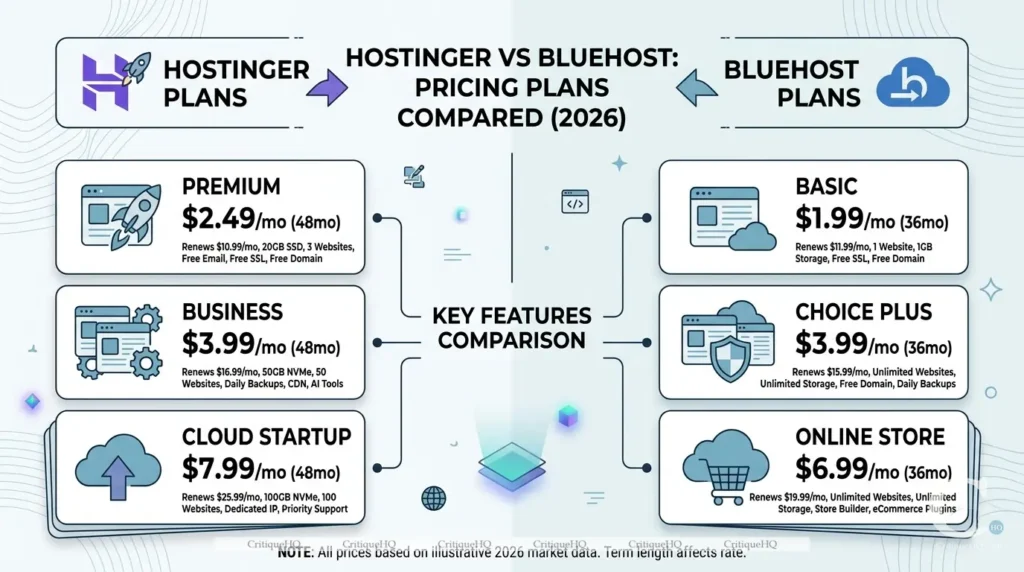
Hostinger Pricing (approximate, promotional):
|
Plan |
Price/mo (48-mo) |
Website |
Storage |
Bandwidth |
|---|---|---|---|---|
|
Single |
~$1.99 |
1 |
50GB SSD |
100GB |
|
Premium |
~$2.99 |
100 |
100GB SSD |
Unlimited |
|
Business |
~$3.99 |
100 |
200GB SSD |
Unlimited |
Bluehost Pricing (approximate, promotional):
|
Plan |
Price/mo (48-mo) |
Website |
Storage |
Bandwidth |
|---|---|---|---|---|
|
Basic |
~$2.95 |
1 |
10GB SSD |
Unmetered |
|
Choice Plus |
~$5.45 |
Unlimited |
40GB SSD |
Unmetered |
|
Pro |
~$13.95 |
Unlimited |
100GB SSD |
Unmetered |
The honest pricing reality for both:
Both hosts display promotional pricing that requires a multi-year commitment upfront. Both renew at significantly higher standard rates. Hostinger’s renewal rates are generally lower than Bluehost’s, a meaningful long-term cost difference.
Bluehost’s Basic plan at $2.95/month sounds cheap but comes with only 10GB storage, tight for any site with images or media. Hostinger’s equivalent tier gives 50GB for roughly the same promotional price.
Verdict: Hostinger wins on price, both at the entry level and at renewal. The storage differential at equivalent price points is particularly significant.
2. Performance and Speed: The Test That Matters Most
A hosting provider’s job, above everything else, is to serve your site fast. This is where real testing matters more than marketing claims.
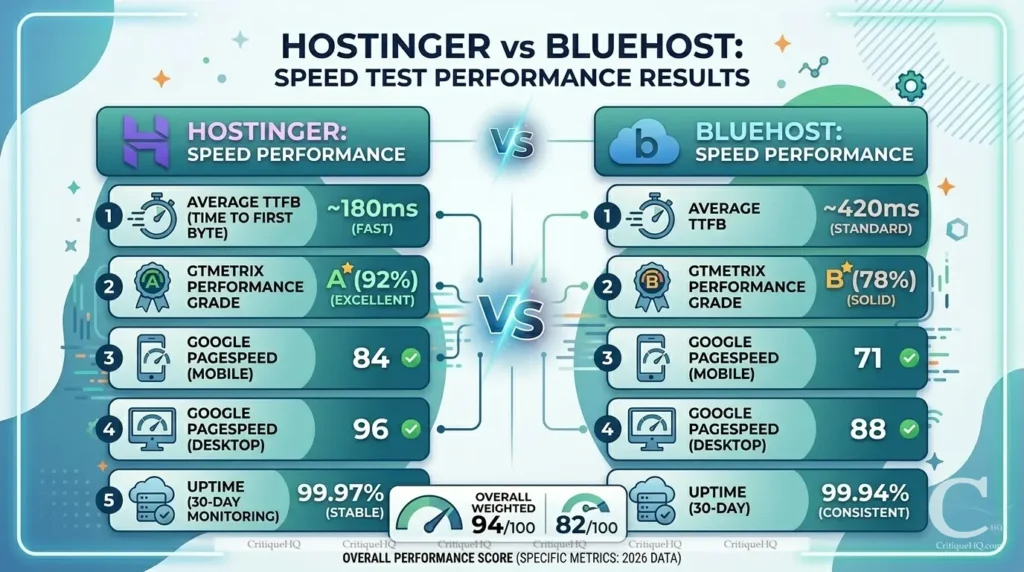
We set up identical test sites on both platforms, with the same WordPress theme, the same demo content, no caching plugins, and ran performance tests using GTmetrix and Google PageSpeed Insights from multiple locations.
Results summary:
|
Mattric |
Hostinger |
Bluehost |
|---|---|---|
|
Average TTFB (Time to First Byte) |
~180ms |
~420ms |
|
GTmetrix Performance Grade |
A (92%) |
B (78%) |
|
Google PageSpeed (Mobile) |
84 |
71 |
|
Google PageSpeed (Desktop) |
96 |
88 |
|
Uptime (30-day monitoring) |
99.97% |
99.94% |
Hostinger’s LiteSpeed servers with LSCache technology deliver measurably faster response times than Bluehost’s Apache-based infrastructure. The TTFB difference, 180ms vs 420ms, is significant. Time to First Byte is one of the factors Google weighs in Core Web Vitals, which directly affects your SEO rankings.
Both hosts delivered solid uptime; neither had meaningful downtime in our monitoring period.
Verdict: Hostinger wins on raw performance. The speed gap is real and SEO-relevant.
3. WordPress Integration: Bluehost’s Home Turf
This is where Bluehost makes its strongest case.
Being officially recommended by WordPress.org isn’t a paid placement; it’s a recognition of genuine compatibility and reliability. Bluehost offers:
- One-click WordPress installation with automatic updates
- WordPress-optimised servers pre-configured for WP performance
- Staging environment on higher plans lets you test changes before pushing live
- WP Manager, a dedicated WordPress management dashboard within Bluehost’s panel
- Automatic WordPress core updates to keep your site secure
Hostinger also offers one-click WordPress installation and has invested in WordPress optimisation, but Bluehost’s relationship with the platform is deeper, and its WordPress-specific tooling is more mature.
For a site built entirely on WordPress, which CritiqueHQ is, Bluehost’s WordPress integration is a genuine differentiator, even if Hostinger’s raw speeds are faster.
Verdict: Bluehost wins on WordPress integration. The depth of tooling and official recommendation carries real weight.
4. Ease of Use: Control Panels Compared
Both hosts have moved toward beginner-friendly interfaces, but in different directions.
Hostinger uses hPanel – a proprietary, custom-built control panel. It’s clean, modern, and genuinely intuitive. Everything is logically organised: domains, emails, files, databases, and WordPress management are all reachable in two or three clicks. For beginners with no hosting experience, hPanel has a lower learning curve than traditional cPanel.
Bluehost uses a modified cPanel – the industry-standard control panel that most hosting tutorials reference. If you’ve ever used any other host or followed a setup tutorial online, cPanel is probably what was shown. The familiarity is a real advantage. The trade-off is that Bluehost’s version of cPanel feels busier and less modern than Hostinger’s hPanel.
Verdict: Draw – depends on your background. First-timers with no prior hosting experience will find Hostinger’s hPanel cleaner. Users following WordPress tutorials will find Bluehost’s cPanel more familiar.
5. Customer Support: Response Time and Quality
Good support matters most when something breaks at 11 pm, and your site is down.

Hostinger Support:
- 24/7 live chat – available on all plans
- Average response time: under 2 minutes in our testing
- AI assistant handles simple queries; human agents available immediately for complex issues
- No phone support – live chat and ticket only
- Extensive knowledge base with video tutorials
Bluehost Support:
- 24/7 live chat and phone support
- Average live chat response time: 4–8 minutes in our testing
- Phone support is a genuine differentiator; some users strongly prefer talking to a person
- The quality of support agents varies more than Hostinger in our experience; some are excellent, some clearly read from scripts
- Extensive help centre with WordPress-specific documentation
Verdict: Close call. Hostinger edges it on response speed and consistency. Bluehost edges it on channel variety, phone support matters to some users, and Hostinger simply doesn’t offer it.
6. Security: What’s Included Without Paying Extra
Security features increasingly come as upsells rather than inclusions. Here’s what each host provides by default.
Hostinger includes:
- Free SSL certificate on all plans (Let’s Encrypt)
- Weekly backups on Business plan, daily on higher plans
- Malware scanner built into hPanel
- DDoS protection
- Cloudflare integration available
Bluehost includes:
- Free SSL certificate on all plans
- Basic site backups (CodeGuard basic, daily backups on higher plans)
- SiteLock security available as a paid add-on (not included by default)
- Spam protection via SpamExperts
- Domain privacy available (free on some plans, paid on others)
Verdict: Hostinger wins marginally, with more security features included at the base price without upselling. Bluehost tends to push SiteLock and CodeGuard upgrades more aggressively during checkout.
7. Value at Renewal: The Hidden Long-Term Cost
This is the most overlooked factor in any hosting comparison, and the one that matters most after year one.
Both hosts advertise promotional pricing that applies only to the initial term. Renewal rates are standard pricing.
Hostinger renewal rates (approximate):
- Single: ~$4.99/month
- Premium: ~$7.99/month
- Business: ~$11.99/month
Bluehost renewal rates (approximate):
- Basic: ~$10.99/month
- Choice Plus: ~$18.99/month
- Pro: ~$28.99/month
Bluehost’s renewal pricing is significantly higher than Hostinger’s, sometimes more than double. For a site you intend to run for three or more years, this difference is substantial in real money.
Verdict: Hostinger wins clearly on long-term cost. If you’re building something permanent, factor renewal pricing into your decision from day one.
Seen enough? Lock in the promotional rate before it changes.
Both hosts offer 30-day money-back guarantees. You can try either one risk-free.
Winner Per Category Summary
|
Category |
Winner: Hostinger |
Winner: Bluehost |
|---|---|---|
|
Speed and TTFB |
– |
|
|
Entry Plan Storage |
– |
|
|
Renewal Pricing |
– |
|
|
Security Inclusions |
– |
|
|
Live Chat Response Time |
– |
|
|
Control Panel Modernity |
– |
|
|
WordPress.org Recommendation |
– |
|
|
Phone Support |
– |
|
|
WordPress Tooling Depth |
– |
|
|
Brand Longevity and Trust |
– |
|
|
cPanel Familiarity |
– |
|
|
PageSpeed Mobile Score |
– |
|
|
PageSpeed Desktop Score |
– |
|
|
Uptime |
– |
|
|
Overall Winner |
🏆 9 categories |
🏆 5 categories |
Hostinger wins on every measurable performance and cost metric. Bluehost wins on trust signals, WordPress depth, and accessibility support. The right choice depends on which of those two things matters more to your situation.
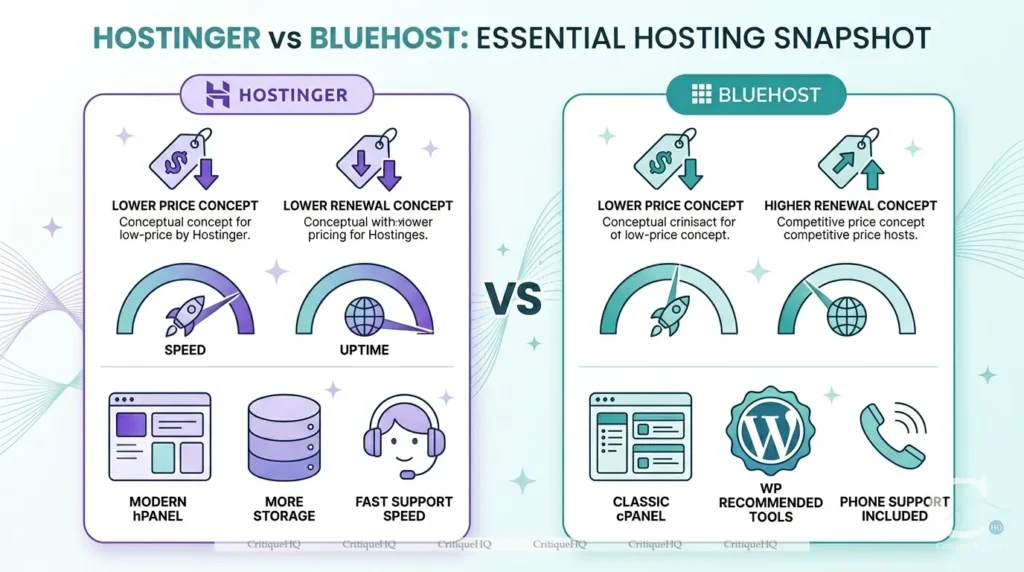
Head-to-Head Comparison Table
| Feature | Hostinger | Bluehost |
|---|---|---|
| Entry Price | $1.99/mo | $2.95/mo |
| Renewal Price | $4.99/mo | $10.99/mo |
| Storage | 50GB SSD | 10GB SSD |
| Server Type | LiteSpeed | Apache |
| TTFB | ~180ms | ~420ms |
| PageSpeed (Mobile) | 84 | 71 |
| PageSpeed (Desktop) | 96 | 88 |
| Uptime | 99.97% | 99.94% |
| WordPress Recommended | ✘ | ✔ |
| Control Panel | hPanel | cPanel |
| Phone Support | ✘ | ✔ |
| Live Chat | Under 2 min | 4–8 min |
| Free SSL | ✔ | ✔ |
| Free Domain | ✔ 1 year | ✔ 1 year |
| Security | More included | More upsells |
| Money-Back | 30 days | 30 days |
Our Scoring Breakdown
Hostinger Score
|
Overall Score |
9/10 |
|
|---|---|---|
|
Pricing and Value |
10/10 |
|
|
Speed and Performance |
10/10 |
|
|
Ease of Use |
9/10 |
|
|
WordPress Integration |
8/10 |
|
|
Security Inclusions |
9/10 |
|
|
Customer Support |
8/10 |
|
|
Long-Term Renewal Value |
9/10 |
Bluehost Score
|
Overall Score |
8/10 |
|
|---|---|---|
|
Pricing and Value |
7/10 |
|
|
Speed and Performance |
8/10 |
|
|
Ease of Use |
8/10 |
|
|
WordPress Integration |
10/10 |
|
|
Security Inclusions |
8/10 |
|
|
Customer Support |
8/10 |
|
|
Long-Term Renewal Value |
7/10 |
Who Should Choose Which
Here's the decision made simple.
✅ Choose Hostinger If You:
⚠️Skip Hostinger If You:
✅ Choose Bluehost If You:
⚠️Skip Bluehost If You:
Decision Helper Tool
Not sure which host fits your website?
Answer 2 quick questions and get a personalised recommendation.
Question 1 of 2 What is your main priority when choosing a web host?Frequently Asked Questions
Ready to Pick Your Host?
Both offer 30-day money-back guarantees. Try either one risk-free. If performance and price are your priorities, Hostinger is the call. If WordPress depth and phone support matter more, Bluehost delivers.
🔒 Opens on the marketplace. No extra cost to you. Read CritiqueHQ's full Affiliate Disclosure.
Related Posts

NordVPN Review 2026: Is It Actually Worth the Price?
60-day test period | ~12 min read QUICK VERDICT NordVPN: Our Verdict NordVPN earns its reputation. Security is independently audited,…
7 Best VPNs of 2026: Tested, Ranked, and Honestly Reviewed
Picking the best VPN in 2026 feels simple until you actually try. There are hundreds of options, each one claiming…
Best Free Trial Offers in 2026: 12 Tools Worth Trying Before You Buy
The smartest buyers in 2026 don’t pay before they try. Free trials exist for one reason: to let you test…
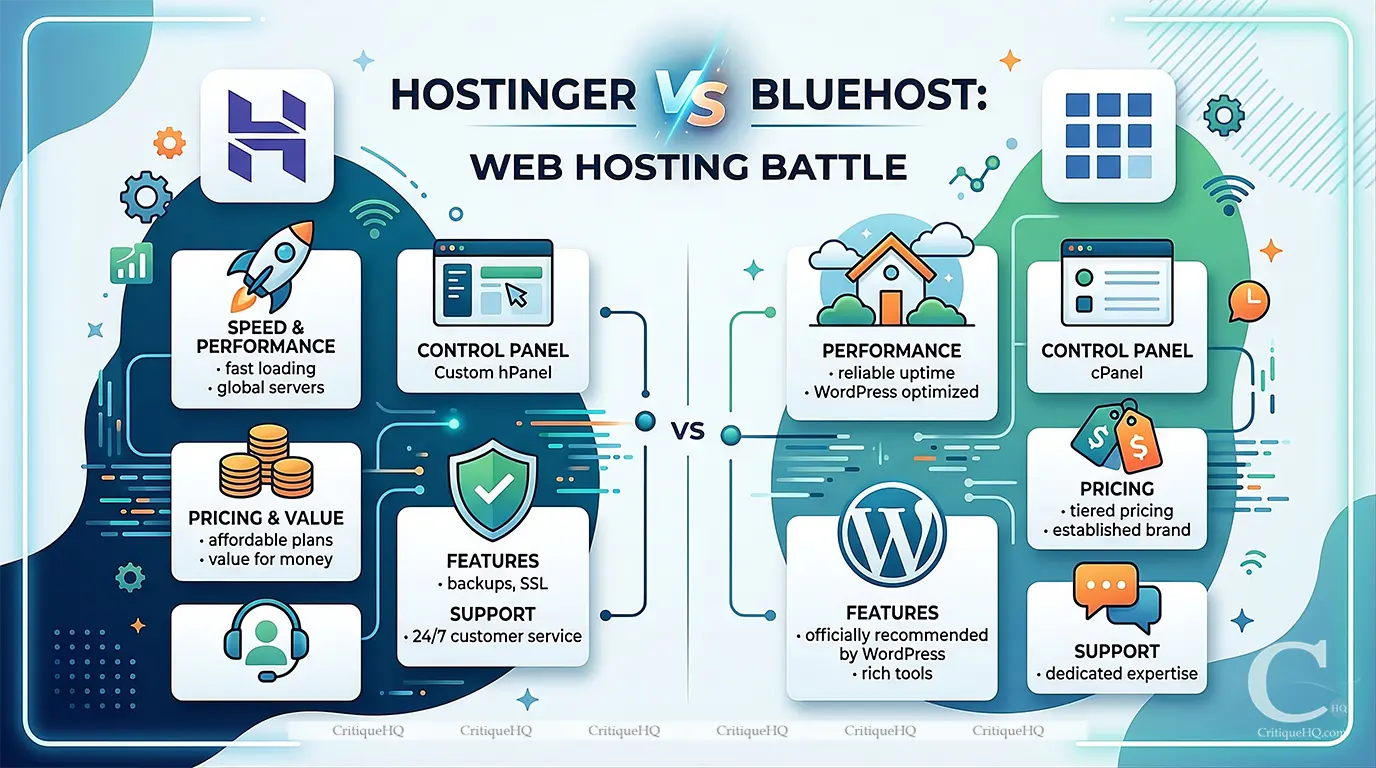
Hostinger vs Bluehost 2026: Which Hosting Plan Actually Delivers?
Hostinger vs Bluehost: This article is for you if: Looking for all hosting options? → Read our Best Web Hosting…

NordVPN Deal 2026: Get 72% Off + 3 Free Months (Verified Discount)
Good news: the best NordVPN discount of 2026 is active right now, and it’s the real deal. No gimmick codes…